
Business email that
actually lands in the inbox.
We configure your business email on Google Workspace, Zoho, or self-hosted Postfix — with SPF, DKIM, and DMARC dialled in. Working mailboxes plus a clean MXToolbox pass report. One-time purchase.
Bad email setup silently
kills deliverability.
Missing SPF. A DKIM key that doesn't validate. DMARC policy stuck at none forever. Your invoices end up in spam, sales emails never arrive, and Gmail starts flagging the whole domain.
We fix this once, properly. You get a correctly configured mail stack, DNS records you understand, and a report you can show a client.
- ·SPF missing or has two records (fatal)
- ·No DKIM signing on outbound mail
- ·DMARC is
p=none, ignored forever - ·Clients report your mail lands in spam
- ·Single, valid SPF — all senders included
- ·DKIM signing verified on a test send
- ·DMARC at
p=rejectwith reports routed - ·MXToolbox green across the board
From your domain
to the customer's inbox.
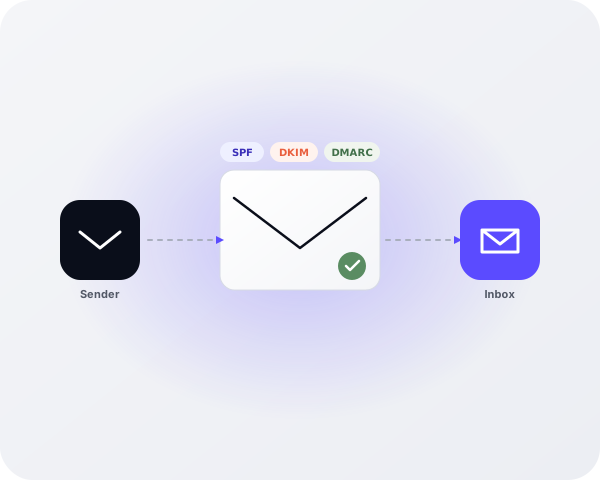
Every outbound message gets stamped with three authentication signals — SPF says "this server is allowed to send", DKIM cryptographically signs the message, and DMARC tells the receiver what to do if either fails. Configure all three correctly and the inbox doors open.
Four steps from checkout
to a clean inbox.
Pay once. Fill in your setup. We do the rest. You get a full delivery report when your setup is verified green.
Choose the tier that matches your domain count and mail provider. One-time payment via secure Authorize.Net checkout.
Tell us your domain, registrar, mail provider and mailboxes. Optionally share registrar access — encrypted at rest.
We set up your provider, add MX records, and configure SPF, DKIM, and DMARC. Follow progress live in your dashboard.
MXToolbox pass report, provider logins, and a short runbook so you know exactly what lives where.
A deliverability stack,
not just an MX record.
Every plan ships the full setup you need to pass Gmail, Outlook, and corporate spam filters on day one.
Mail routing pointed at Google Workspace, Zoho, or your Postfix host with the right priorities.
One correct TXT record covering every legitimate sender — no duplicates, within the 10-lookup limit.
Cryptographic signing key published at your domain, verified against a live test send.
Aligned policy from p=none to p=reject with aggregate reporting (rua) going somewhere you control.
Domain ownership, mail flow, and anti-spoofing all verified in the provider admin console.
MXToolbox deliverability report attached to your order — proof the job is done.
Your email stack is a growth channel.
Stop leaking leads to spam.
Industry research consistently shows that correctly configured authentication records meaningfully improve inbox placement and brand trust. Here's what proper configuration unlocks:
Pay once. No subscriptions.
Four clean tiers — from a single mailbox to a multi-domain business setup.
Google Workspace or Zoho, set up the right way.
Get startedPostfix + Dovecot on your VPS, hardened and deliverable.
Get startedMulti-domain, multi-user, deliverability-audited setup.
Get startedQuestions, answered.
Short answers to the things people always ask before buying.
See the full FAQDo you own my email provider account?
No. We configure the mailboxes inside your account, using credentials you control. When we're done we hand ownership and the admin console back to you.
How fast is turnaround?
Most setups complete within 24–48 hours. Self-hosted Postfix builds can take up to 72 hours. We keep you updated in your dashboard.
What if my DNS is on Cloudflare / GoDaddy / Namecheap?
Any registrar works. You can give us delegated access (encrypted at rest) or we can give you a copy-paste list of DNS records to add yourself.
Is this a subscription?
No. You pay once per setup. We don't bill you again unless you order another setup later.
Ready to fix your email?
Pick a plan and we'll have your setup running in 24–72 hours with a full deliverability report attached.